
/ Case study
JUF
Two years after launch, JUF's legacy giving course stopped saving members' plans. We traced the cause and got it saving again.
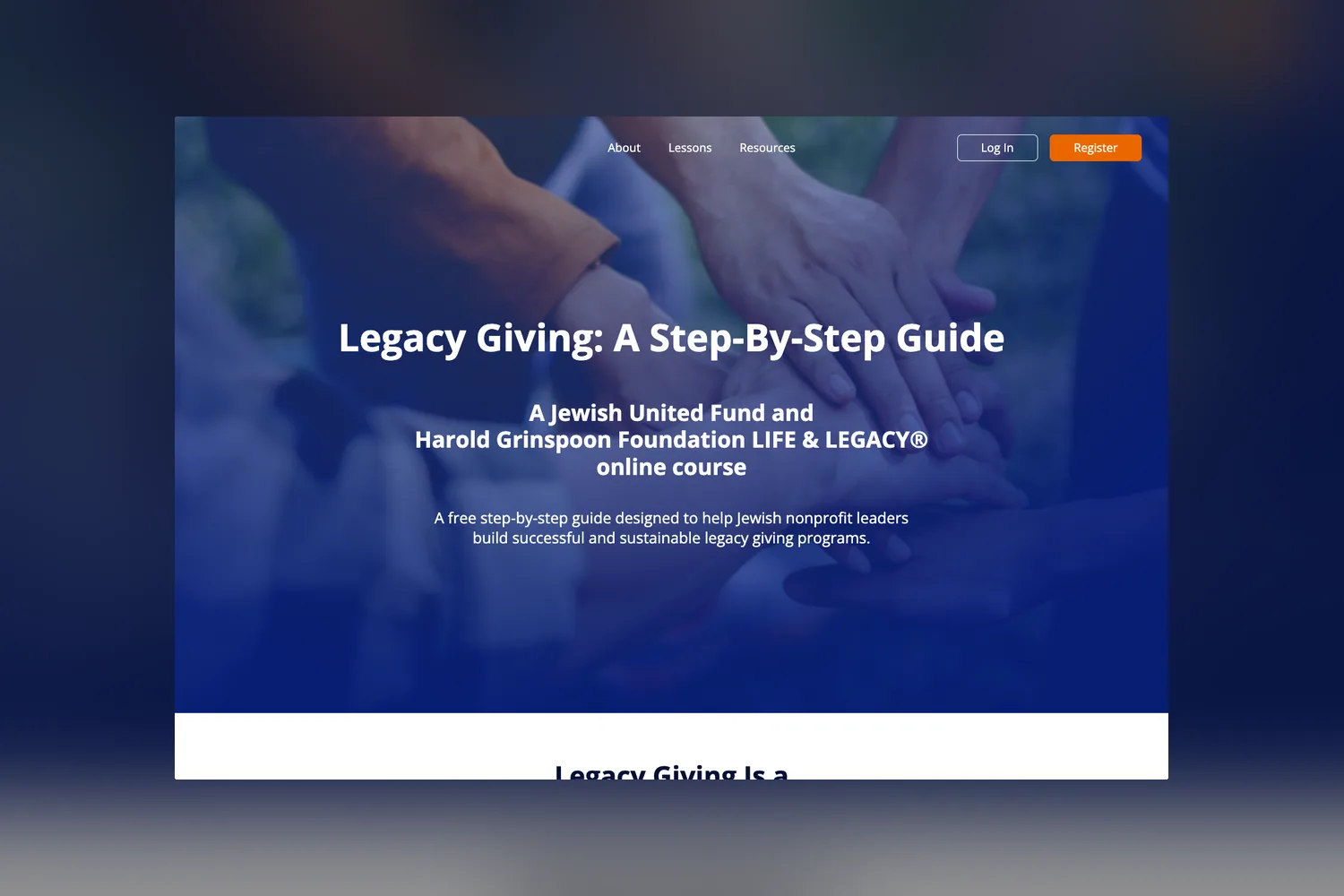
Fri3nds project record and live site, 2026
Who JUF is and why it needed an online course
The Jewish United Fund of Metropolitan Chicago has served people of all faiths in Chicago, Israel and around the world for more than 120 years. Its Create a Jewish Legacy program helps Jewish nonprofits build endowments through legacy gifts, the kind most donors make after their lifetime and that often turn out to be the largest gift they ever give. Together with the Harold Grinspoon Foundation's LIFE & LEGACY program, JUF wanted to put that know-how in front of every nonprofit leader who needed it, for free. Statement, a design studio, shaped the course, "Legacy Giving: A Step-By-Step Guide", and brought us in as its development partner to build it in Webflow.
- 5 lessons, each with its own progress tracking, plus a resources hub
- Free for every Jewish nonprofit leader who registers
The challenge: a course that remembers every answer
A course like this is not a set of pages to read. Each lesson asks the reader to do the work: write a case statement for their organization, name their target audiences, set goals, plan stewardship. The answers have to be there when a leader comes back next week, and at the end they have to turn into something a board can use. So the site needed accounts, a record of each member's progress, and a safe place to store every answer.
How we built the Legacy Giving course in Webflow
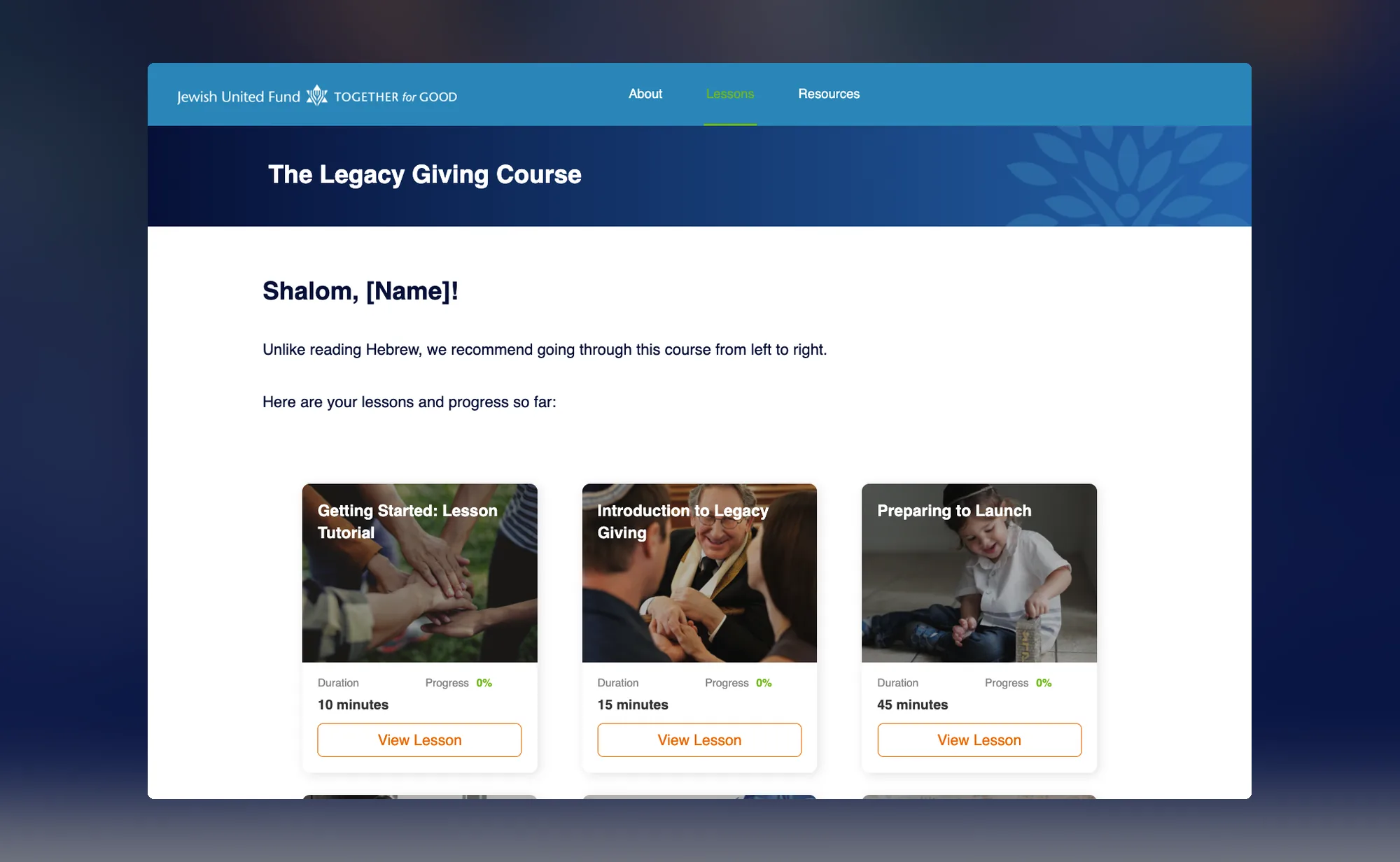
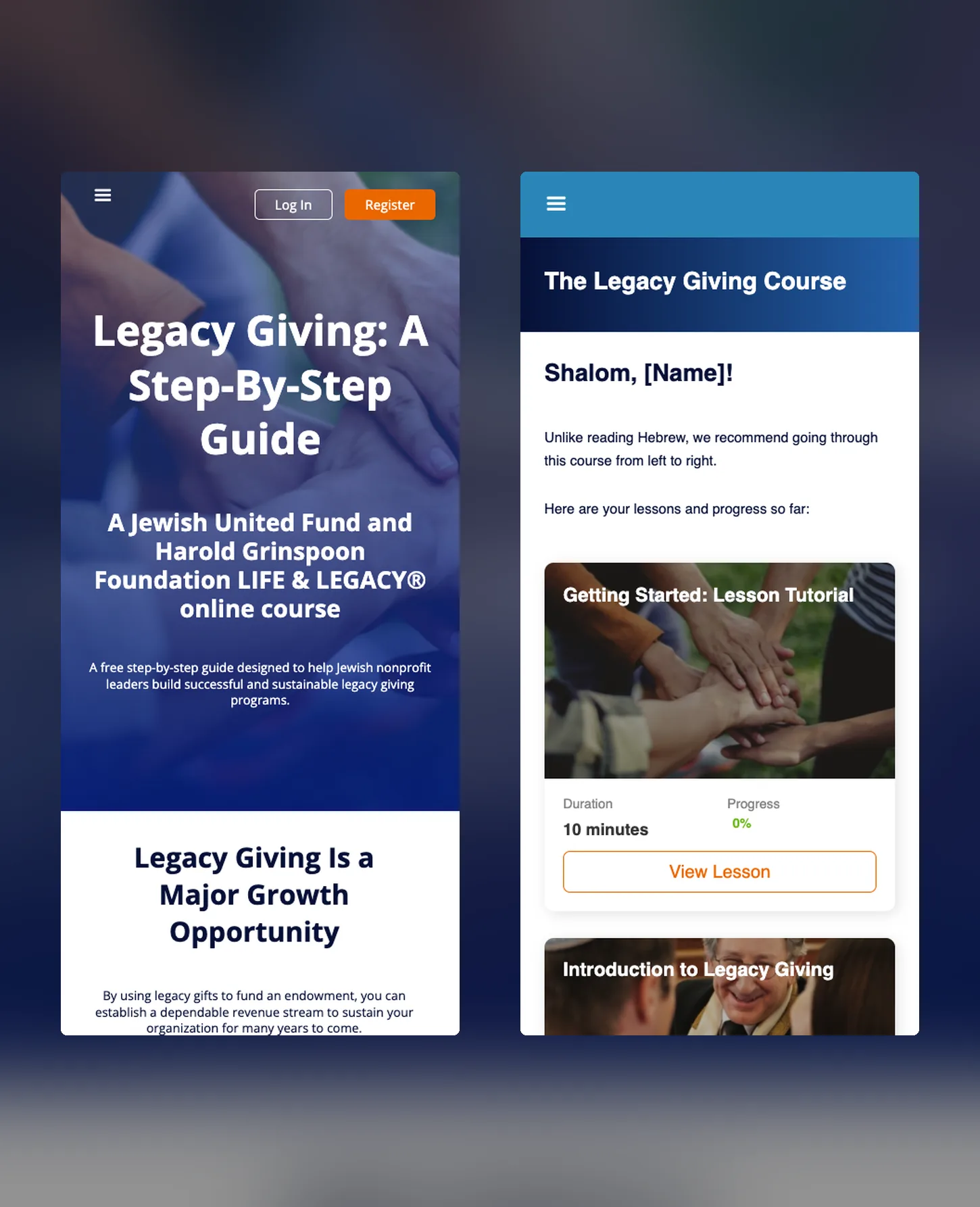
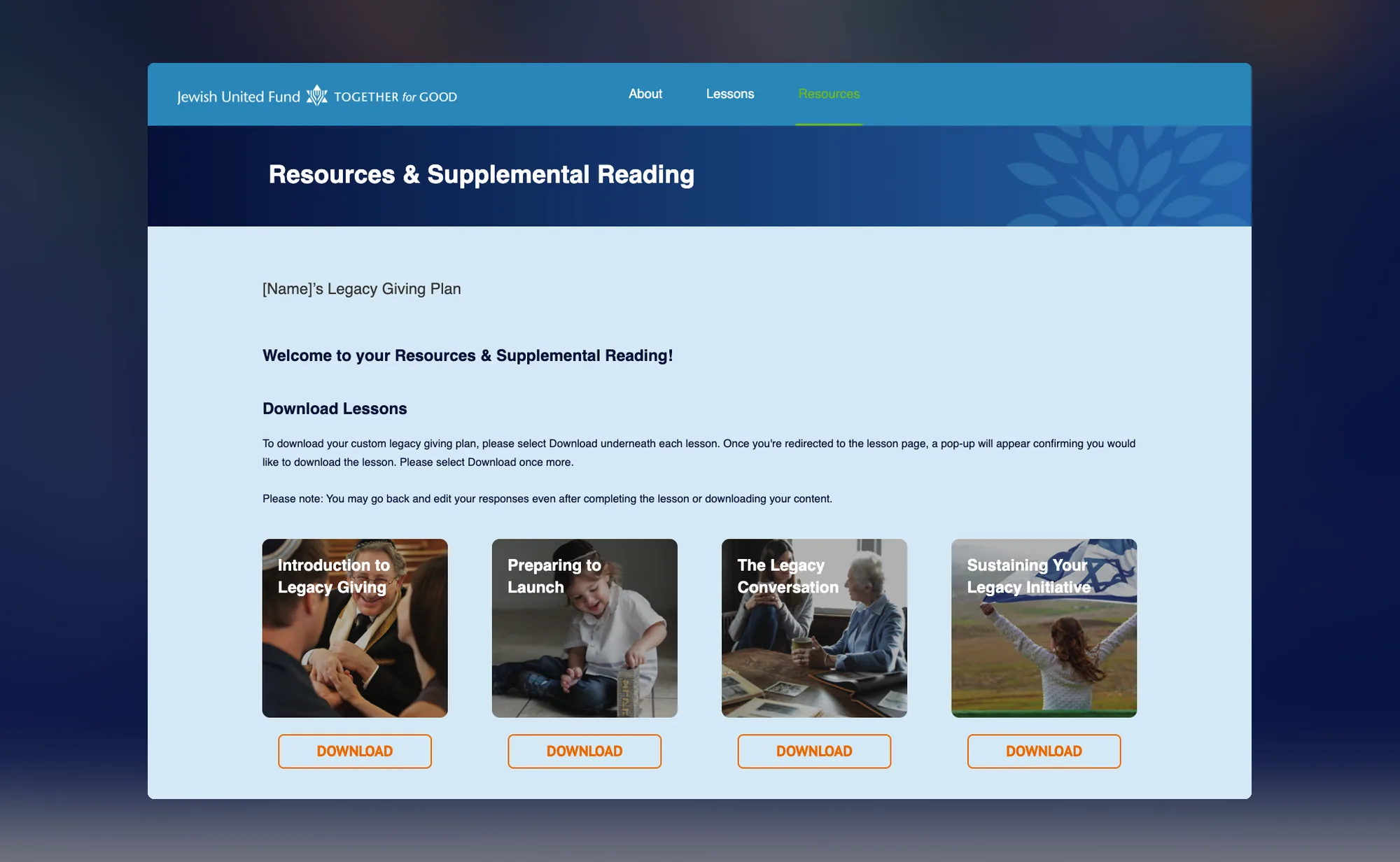
We built the course in Webflow with two services behind it. Firebase handles registration and log in, so each leader gets their own account. Airtable stores the answers lesson by lesson, which keeps the data in a place JUF's team can open and read. On the front end, a Lessons dashboard greets each member by name and shows how far they are into every lesson. Inside a lesson, a navigator lists each step and an "Amount Completed" bar fills as they go. On Resources, each member downloads their own Legacy Giving Plan, built from their answers, and can go back and edit them at any point.
What happened when the course stopped saving
About two years after launch, a community member finished the course and could not get their work back. Answers were not reaching the Resources page and the plan would not download, even for someone who stayed logged in. The studio asked us to look. We traced the cause to Airtable, which had retired the kind of API key the course used to save answers. Once JUF's team cleared access to the Airtable account, which sat behind a Google sign-in, our engineer put the fix in and tested the full save-and-download path before handing it back.
"thanks for your help! I think the issue is resolved but will reach back out if any glitches occur."
— Rachel Bachrach, Assistant Vice President, Endowment Development, Jewish United Fund
What changed for JUF's team
"If we wanted to make some updates to the text in various places, how might we go about that?"
— Rachel Bachrach, Assistant Vice President, Endowment Development, Jewish United Fund
After the fix, the studio introduced us to JUF as its point of contact for the course, and passed JUF's next questions straight to us. Rachel's questions were about owning the site: how to get the details of everyone who had signed up out of Airtable, and how to change text across the course. We walked her team through both, editing copy in Webflow and exporting member data from Airtable, and left them a handoff guide. A few months later, when a colleague took on a round of text edits, JUF found it could make them without a training session. Today the course is still live, with JUF's own updates on it.
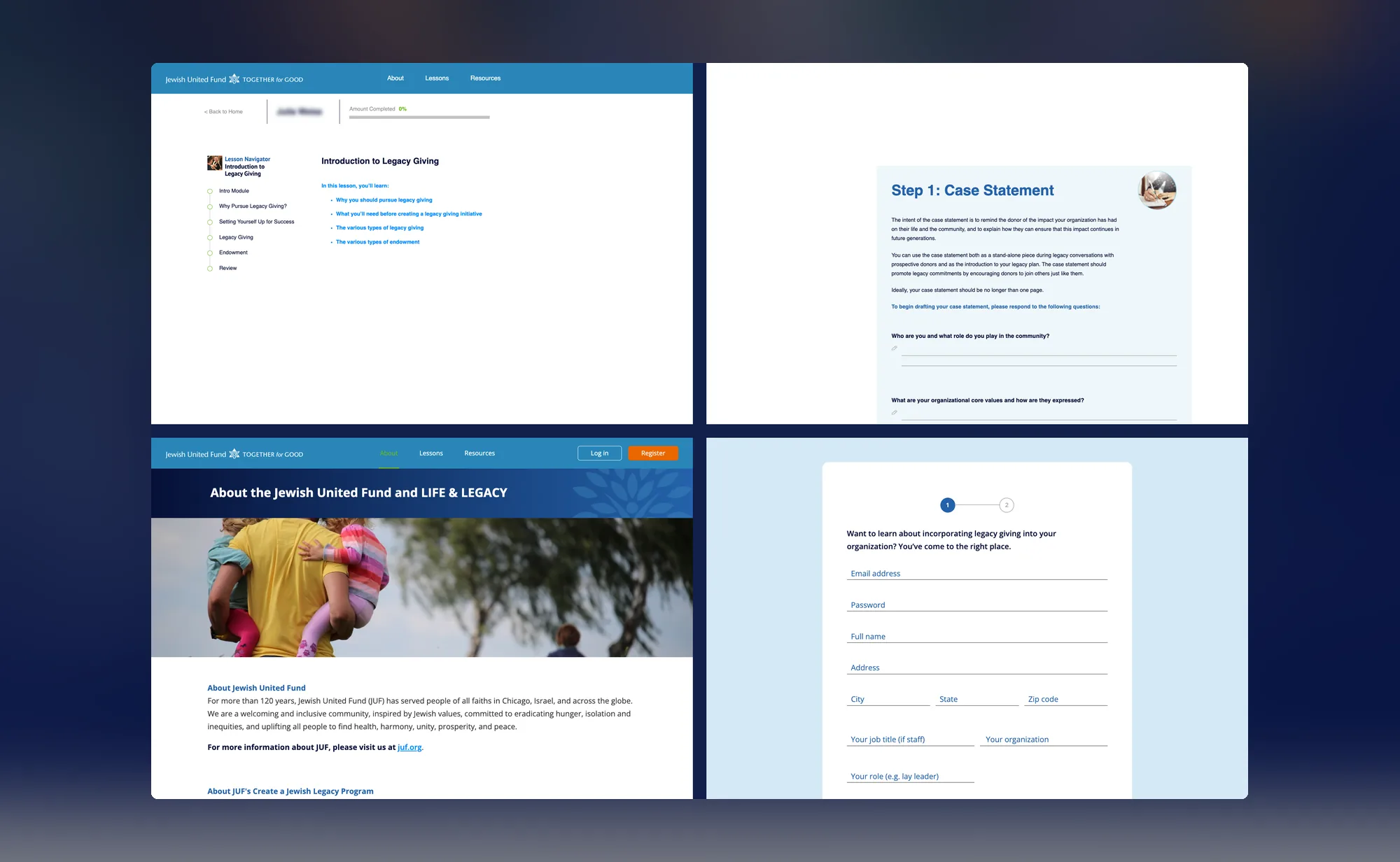
- Since 2022: the course has been live for Jewish nonprofit leaders
Credits
Client: Jewish United Fund of Metropolitan Chicago, Create a Jewish Legacy program. Rachel Bachrach (Assistant Vice President, Endowment Development)
Course partner: Harold Grinspoon Foundation, LIFE & LEGACY
Design: Statement. Jen Depakakibo (Partner & Head of Creative, Design)
Fri3nds: Marcelo Russo, Esteban Muñiz, Jaime Pons (project and account management), Federico Rano (lead engineer)
Services: Webflow development, Airtable and Firebase integration, Webflow support and team handoff
Let's get your next pageout this week.

Some months need more than the block of hours covers. The same team scales up for a launch, a rebrand or a migration, without a new onboarding.
Book a free discovery call